Teach your AI your household once.
Then let it handle the jobs.
Most people use AI like a search box. In a private online session, we set up yours to know your household (the kids’ schools, your stores, the things you’re tired of tracking) and give it jobs it keeps doing for you.
From $250 per household · 90-minute online sessions · one follow-up

Two steps. Your household, your accounts.
Step 1. Your household file. We start by writing down what your AI needs to know about your house: who’s in it, which schools and activities, the stores you use, your budget lines, the dates that sneak up on you. It’s one document you own, and you can paste it into any AI app. The free version of this step is on the site.
Step 2. Standing jobs. Then we pick the jobs your household needs most and set each one up so the AI knows what to do every time, not just once.
Pick the jobs that take up your week.
Choose two jobs with Starter Setup, or all four with Full Setup.
More order.
One list from school emails.
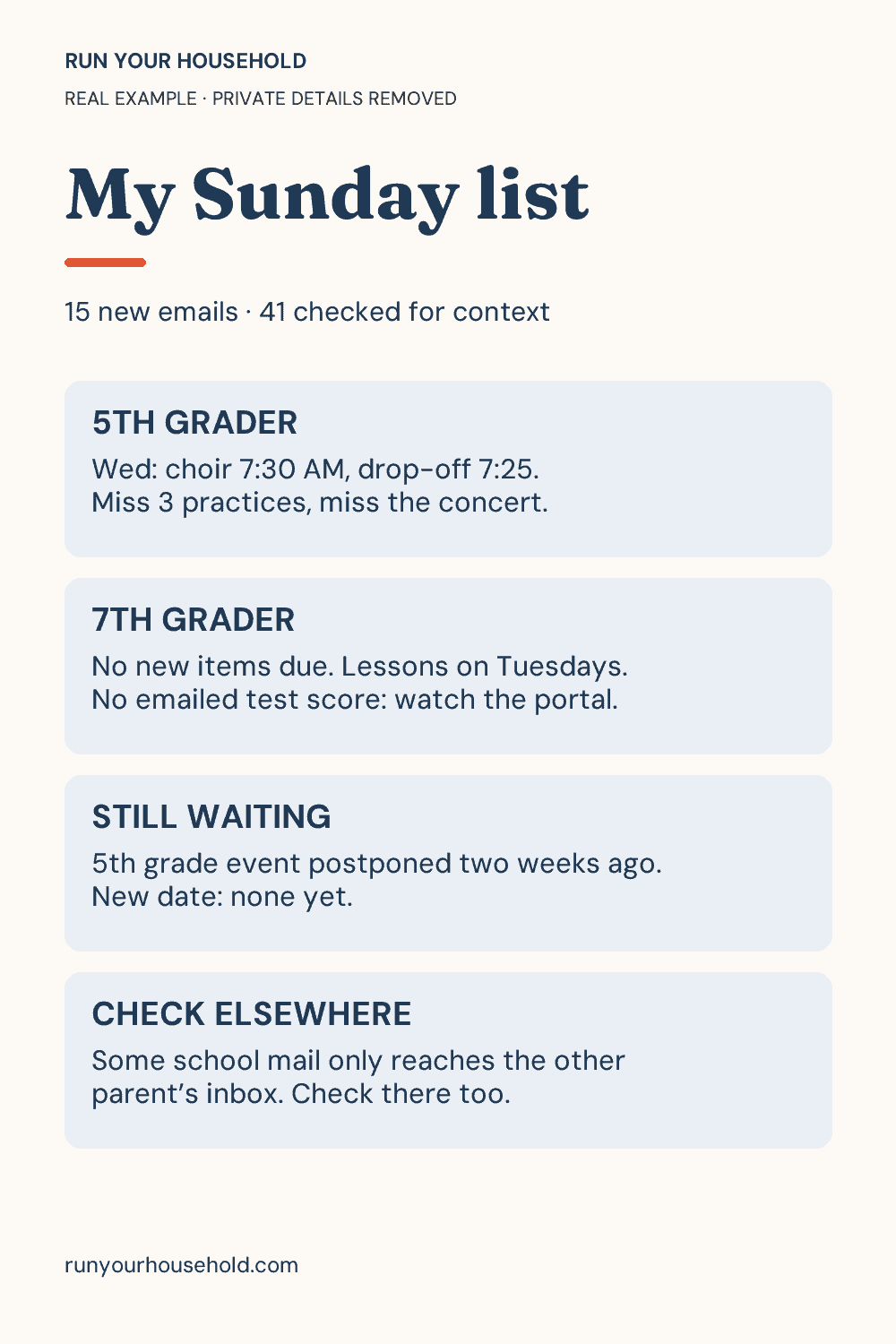
Every email from the school, summarized into one list of forms, payments, dates and things to pack, with reminders when you want them.
Read the school-email walkthroughwith what’s here.
Plan meals from what you have.
Save the recipes you actually make, scale them up or down, and plan the week from what’s already in the fridge.
A clear budget.
Keep gifts within your budget.
A budget per person, gift ideas that fit it, and one list that tracks what’s bought.
A plan that fits.
Find activities that fit your family.
Tournaments, classes and places to go, found for your kids’ ages and your area, and checked against your calendar.
See a real household run.
The example shown comes from a real RYH household run, with private details removed. It was made using connected Gmail.
You can do this yourself. This is the faster way.
Every walkthrough on the site is free, and you can follow them on your own. The session is for when you’d rather not figure out what to tell the AI.
That’s the hard part: knowing which details about your house matter, and how to turn “help me with school emails” into a job that runs the same way every week. We do that together, using your information, and you leave with it set up.
A partner can join the same session.
Two ways to do it
Starter Setup
$250
- One 90-minute session
- Your household file, written together
- 2 standing jobs from the menu
- Written instructions for each job
- A 20-minute follow-up within seven days
Full Setup
$450
- Two 90-minute sessions, about a week apart
- Your household file, written together
- All 4 standing jobs
- Written instructions for each job
- A 20-minute follow-up within seven days of the second session
The week between sessions is on purpose: you use your first two jobs at home, then we fix anything that didn’t fit and add the other two.
Every session includes
- A short intake: what you’re juggling and which AI app you already use.
- Your household file, written together.
- Written instructions for each job, so you can adjust it or set up the next one yourself.
- A 20-minute follow-up within seven days.
You don’t need to know how to write a prompt. If you can talk to your phone, you can do this.
What happens next
1. Ask about a session.
Email a sentence or two about what you’d like help with. Leave school messages, statements and account details out of the email.
2. Confirm the fit.
You’ll get a reply saying whether the session covers what you need, which app to have ready, and the payment, cancellation and rescheduling terms before you book.
3. Set it up together.
You run your own accounts the whole time. We build the file and the jobs, and test each one before we finish.
A few things to know
Do I need a paid AI app?
Not always. Several jobs work in free apps. If a job needs a paid feature, you’ll hear that before you book.
Will it run on its own afterward?
The jobs we set up as scheduled tasks will, in apps that support them. Others are a saved prompt you run when you need it. You’ll know which is which before the session ends.
Do you need my passwords?
No. You stay signed in to your own accounts, and the prep instructions say which details to remove first.
Can I start with the Starter and add the rest later?
Yes. Ask about adding the other two jobs after your session.
Is this for me if I’m new to AI?
Yes. It’s built for people who’ve opened an AI app and mostly asked it questions.
Let’s set up your household AI.
Tell us what you’d like help with. We’ll help you decide whether a session is a good fit.
Ask about a sessionPrefer to email? [email protected]